How to exclude images and questions from narration?
You can control which images and questions are included in your course’s audio narration. You can disable narration for all images at once or exclude individual images and questions.
How to disable image narration for the entire course
By default, all images are included in the narration. You can disable narration for all images at once once audio narration has been generated for the course.
- Open your course in the Editor
- Click the headphones icon on the right side of the top toolbar to open the Narration pop-up.
- Select Disable image narration.
- The narration will automatically regenerate to apply the change.
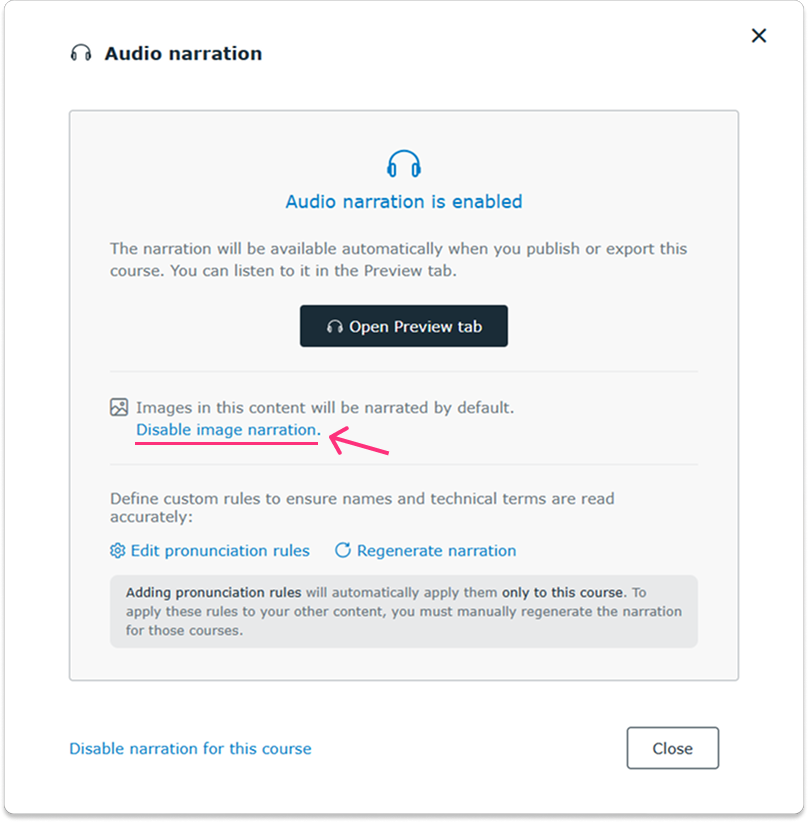
Once regeneration is complete, image narration will be disabled by default across the entire course.
You can still enable narration for individual images and switch image narration on or off for the entire course at any time.
How to exclude individual images and questions from narration
To exclude specific images and questions from your course narration:
- Open your course in the Design tab
- Select the image or question on the slide.
- In the right-hand editing toolbar, turn off the Include in narration toggle.
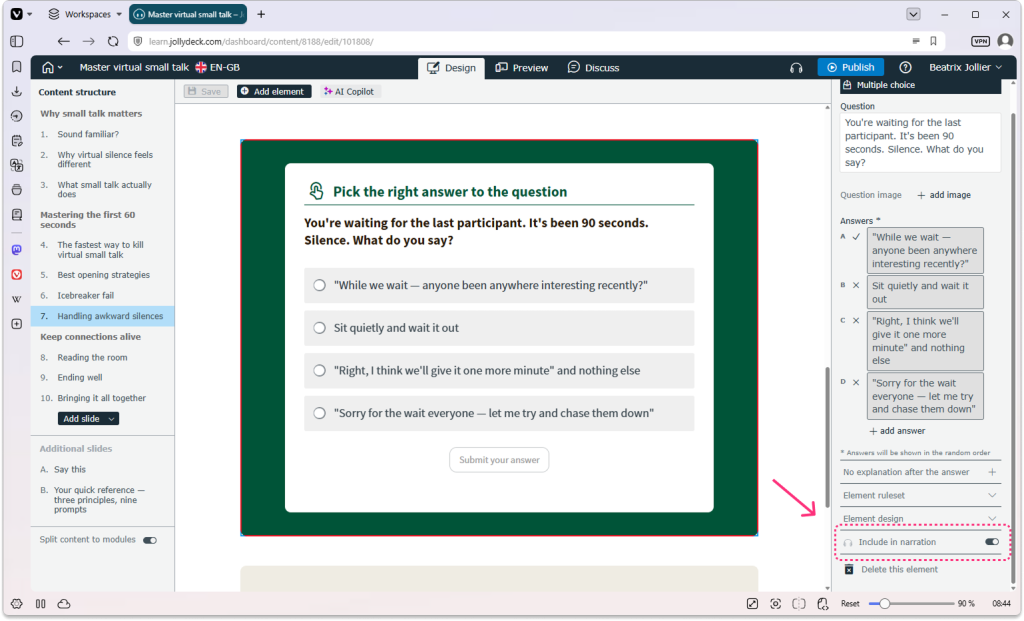
Note: Currently, you can exclude the following question types from narration: true/false questions, multiple-choice questions and survey questions.
What happens when you exclude images from narration?
Excluded images will not be mentioned or described in the narration audio.
What happens when you exclude questions from narration?
When a question is excluded from narration, the narrator will briefly instruct learners to read the question on the screen and submit their answer. The audio will then pause, giving learners time to complete the question at their own pace.
Once the learner is ready to continue, they can click Play on the audio player in the bottom-right corner to resume the narration.
Related resources: