Creating content
How to add pronunciation rules for AI narration?
Pronunciation rules are set per language and apply to AI narration in courses and interactive videos across all your content.
Add a pronunciation rule
You can access Pronunciation settings from:
- the Generate narration pop-up when creating narration for a course
- the audio player in the Preview tab
- the Brand & Style module
If you’re accessing the settings from Brand & Style, first select the language you want to edit.
Then:
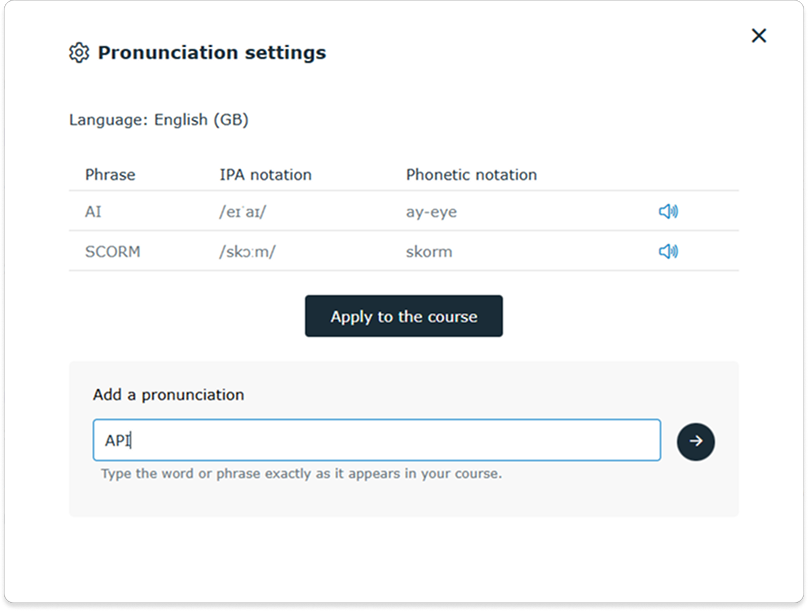
- In the Pronunciation settings window, type the word or phrase exactly as it appears in your course or video script.
- Click the arrow icon to generate suggestions.
Choose a pronunciation
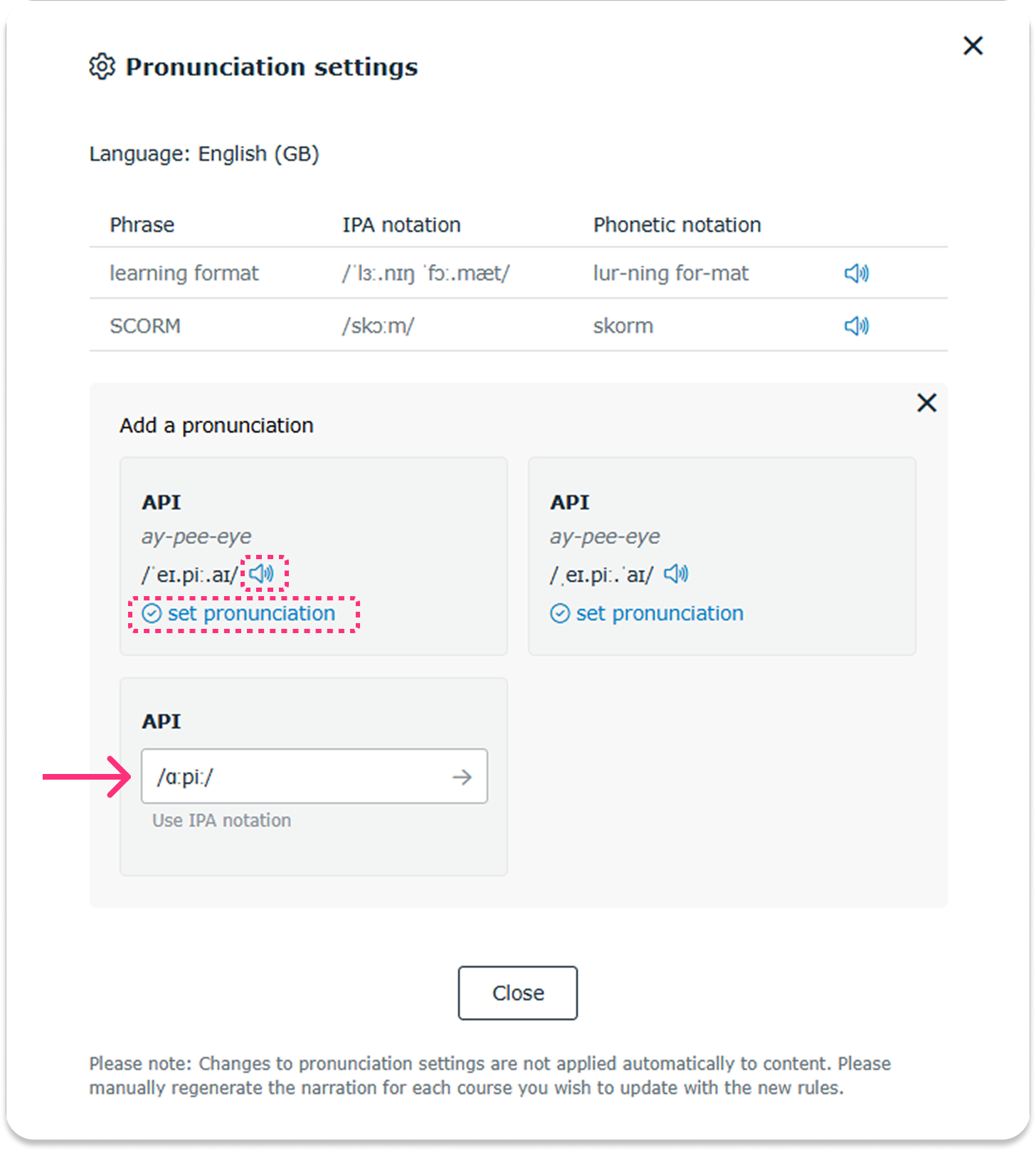
Once the suggestions are generated:
- Preview each suggestion by clicking the speaker icon.
- Select a pronunciation by clicking Set pronunciation.
- If none of the suggestions are suitable, add a custom pronunciation using IPA notation.
Related resources: