Can reviewers edit my content?
Yes, reviewers can edit your content but only if you grant them the editing permission.
As the author, you have complete control over how your reviewers access your content and help you with its creation.
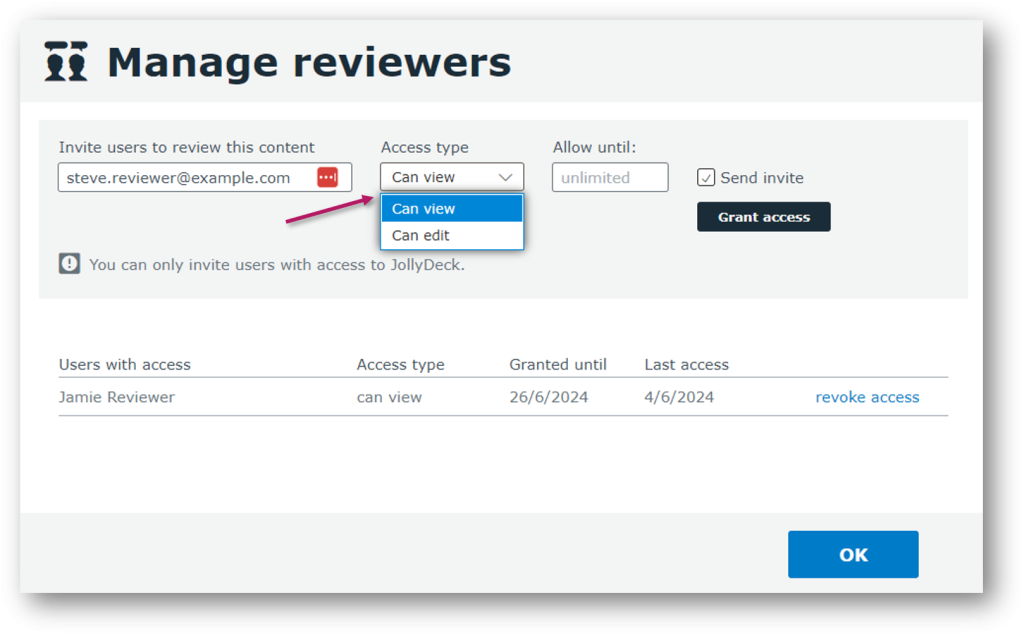
When adding new users to review your content, you can set their access type.
Choose between two types of access:
- Can view: Reviewer can review and leave comments
- Can edit: Reviewer can review, leave comments, and edit the content
Note: You can add unlimited reviewers with view-only access for free. Reviewers with editing access require an additional Pro seat. Find out more about charges for reviewers here.
From the reviewer’s perspective
When invited to review content, reviewers receive an email with a link to the course in JollyDeck.
They can browse through the slides, leave comments on anything that needs attention, and respond to feedback from others. Reviewers with editing access can also switch to the Design tab to make changes directly. Once finished, reviewers can mark their review as complete to notify the author.
Watch how content review works in JollyDeck.
Related resources: