

Consistent branding across e-learning content is important. It affects credibility, clarity, and how professional your courses feel to learners.
At the same time, maintaining branding is hard – especially when several people are working on the same content and when branding goes far beyond logos and images to include language, translations, and narration.
This is why many teams told us they needed a simpler and more reliable way to manage branding in JollyDeck.
One place for all branding settings in JollyDeck
All branding-related configuration is now grouped under a single functionality in JollyDeck. Branding is defined once and reused across all content, editors, languages, and output formats. Instead of adjusting settings repeatedly for each course, you manage them centrally and apply them consistently throughout your entire e-learning catalogue.
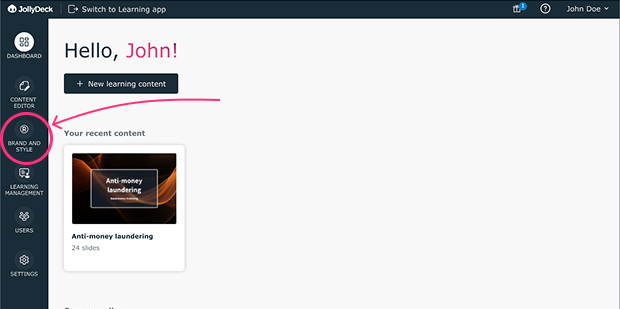
In practice, branding in e-learning goes beyond visual identity. It also includes the language you use, how key terms are translated, and how names or acronyms are pronounced in narrated content. As teams scale, work across languages, and increasingly rely on AI assistance, these elements need to be defined once and applied consistently — otherwise branding starts to drift even when templates and colours are correct.
Branding breaks down when it’s applied per course instead of defined once and reused everywhere
Below is an overview of what you can now manage in one place.
Logo
Logo can now be managed centrally and applied consistently wherever learning content is consumed. You can replace the JollyDeck logo with your own in the SCORM player and display your logo in the header of shared links or embedded learning content. This ensures clear brand ownership regardless of how or where learners access the course
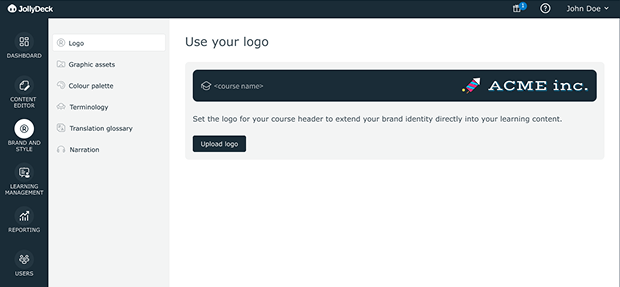
This ensures clear brand ownership and presentation, even when courses are shared, embedded, or distributed outside your LMS.
Colours
Brand colours no longer need to be applied manually or redefined for every project. You can create custom colour palettes that reflect your brand and use them consistently throughout the JollyDeck editor. This helps keep visual styling aligned across courses, even when multiple authors are involved.
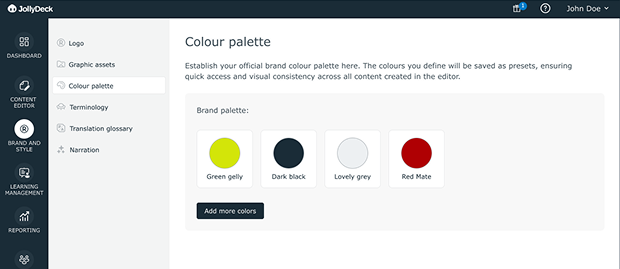
This keeps visual styling consistent across courses and authors, without relying on manual checks or individual judgement.
Image gallery
The image gallery provides a single, shared place to store your visual assets. Logos, backgrounds, and other frequently used images can be accessed by all editors directly from the content editor. This removes the need to search for files or upload the same assets repeatedly for different projects.
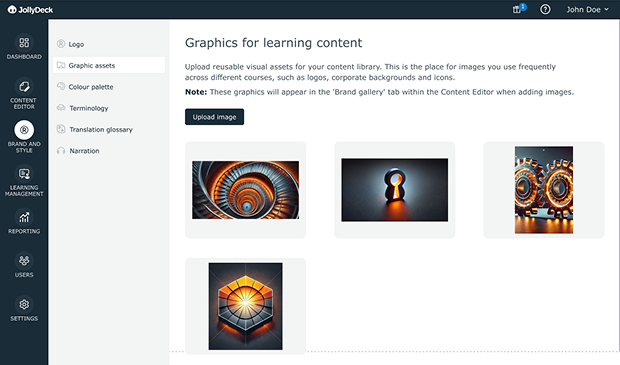
It helps teams reuse approved assets and avoids accidental inconsistencies as content grows.
Translation glossary
When creating multilingual courses, consistency becomes even harder to maintain. The translation glossary lets you define translation rules for key terms, improving accuracy and ensuring that important concepts are translated consistently across languages.
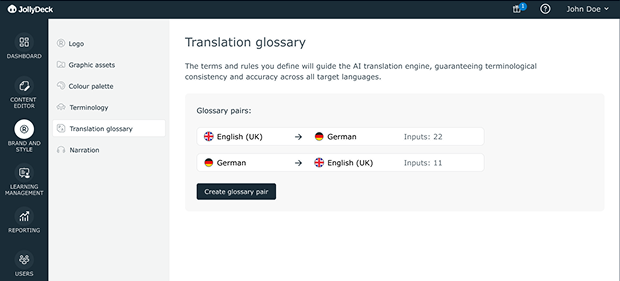
This becomes especially important when AI-assisted translation is used, where consistency depends on clear, predefined rules.
Pronunciation rules
For courses that use text-to-speech narration, pronunciation is part of your brand voice. Pronunciation rules allow you to control how names, acronyms, and domain-specific terms are spoken, improving the quality and professionalism of AI-generated narration.
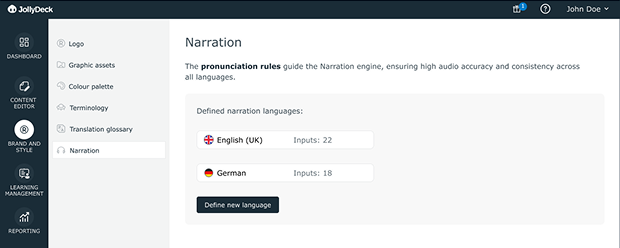
This ensures AI-generated narration remains aligned with your brand voice and domain language, even as content is updated or scaled.
Once AI is involved, consistency depends on rules — not manual review
Consistent branding without repetitive work
As teams create more content, in more languages, and with greater AI involvement, having a single source of truth for branding becomes essential for maintaining quality at scale.
With all branding settings in one place, teams can maintain consistency across their entire e-learning content without repeating the same setup work for every course. This makes collaboration easier, reduces errors, and helps keep learning content aligned with your brand at scale.
Take control of your branding settings.
Log in to JollyDeck and set up your environment for faster and more efficient work. It’s free.