
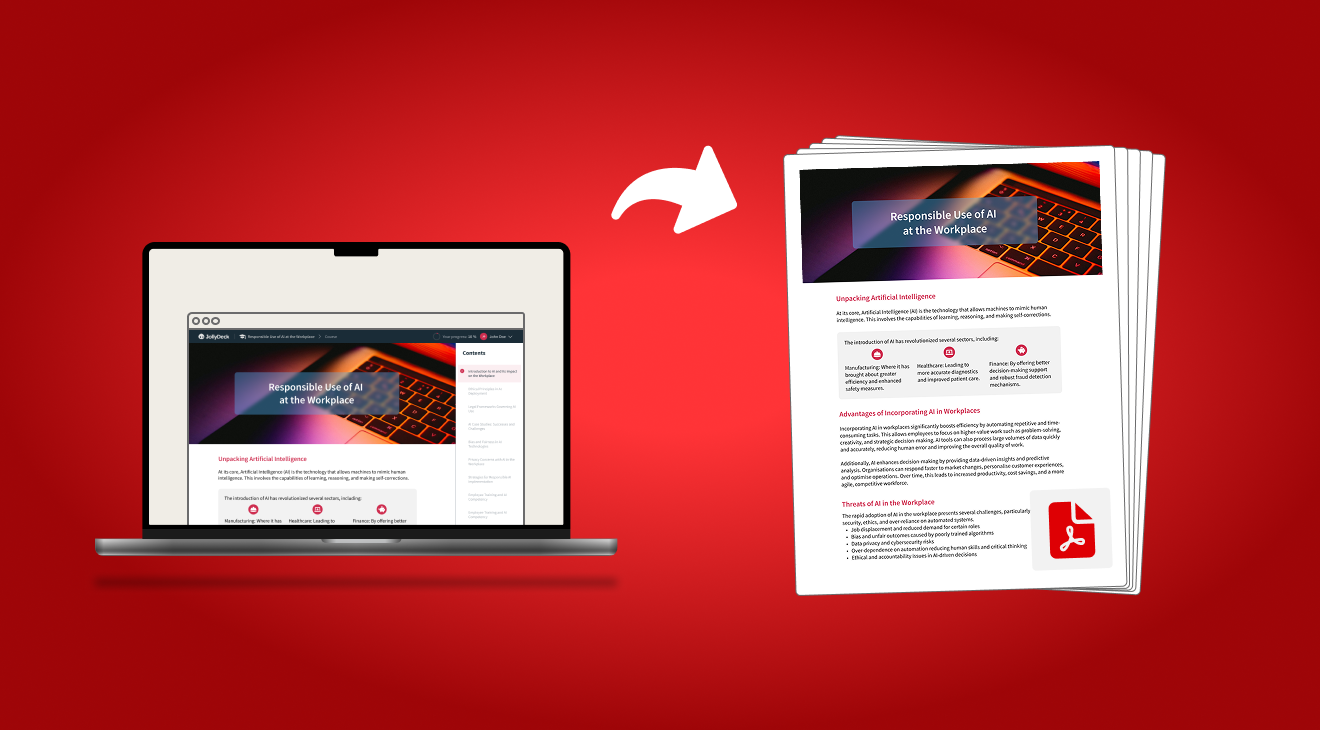
Interactive e-learning courses with video, audio, quizzes, and animations are great. They’re engaging, flexible, and ideal for learners. But not every situation calls for an interactive experience. But not every situation calls for an interactive experience. Sometimes, what you need is a static, portable version of the course.
That’s why the option to download an e-learning course as a PDF matters more than it might seem.
The problem: When interactive courses are not practical
E-learning platforms are usually optimised for learners, not for everything that happens around a course.
In real projects, course creators often need a static version of the content for very practical reasons. These reasons are rarely about learning – they’re about everything around learning.:
- archiving course content for records or compliance
- sharing the full course with stakeholders or reviewers
- collecting formal content sign-off
- reviewing text and structure without navigating an interface
In these situations, sending a link to an interactive course is often inconvenient. Reviewers want something they can scroll through, annotate, or store.
This is where many platforms fall short: there’s no easy way to export e-learning courses as PDF files.
A simple solution: Export the course as a PDF
Instead of re-creating content manually or copying it slide by slide, JollyDeck now lets you export your entire e-learning course as a PDF.
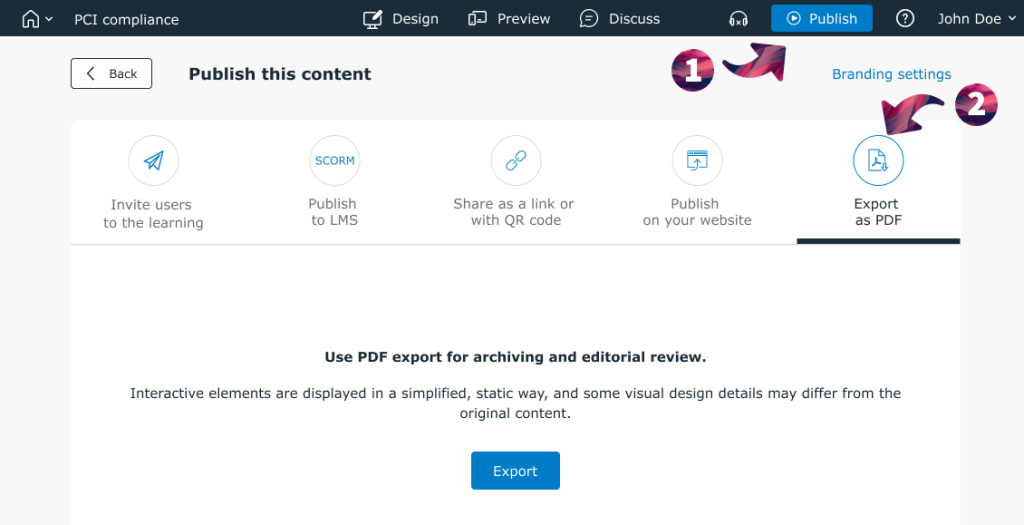
When you’re ready to publish, simply select the option to Export as a PDF.
Once the PDF is downloaded, it can be shared, reviewed, or archived just like any other document.
Sign in and download your course as a PDF
Sign in to JollyDeck, open the course you want to share or archive, then select Export to PDF to download a PDF version of the full course content.
You don’t have an active account yet? Sign up with JollyDeck – it’s free.