Collaboration
Can I export content as PDF?
Yes. You can export any course created in JollyDeck as a PDF file.
To export your course as PDF:
- Open the course in the Design tab.
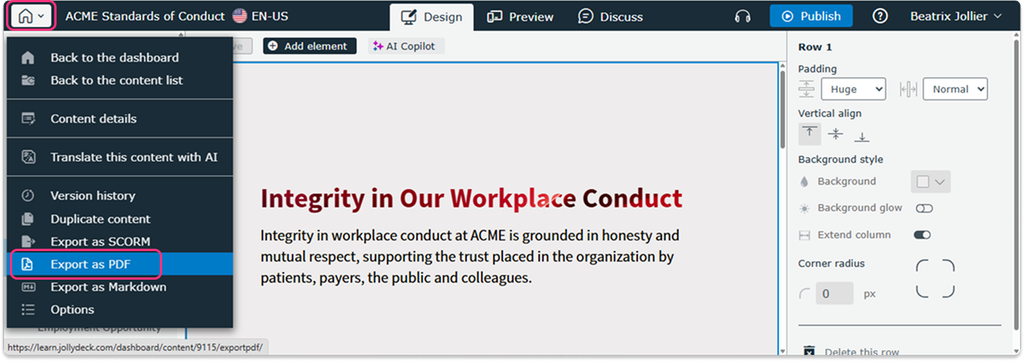
- Click the home icon in the top-left corner.
- Select Export as PDF.
Alternatively, click Publish in the top toolbar and select the Export as PDF tab.
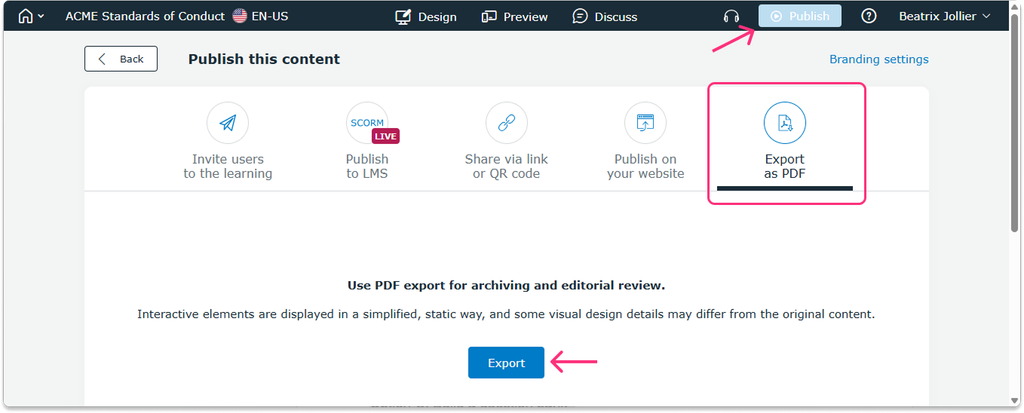
The exported PDF contains your course content in a static format, making it useful for sharing, printing or keeping an offline copy.