
SCORM was designed for LMS infrastructure.
WordPress was designed for the open web.
If your audience already lives on WordPress, there is no reason to package learning for containment.
Many trainers, consultants, and product teams run their websites on WordPress. They sell via WooCommerce, publish gated content, or deliver expertise directly from their own domain. In these cases, exporting SCORM and uploading files creates unnecessary friction.
There is a simpler model:
Build in JollyDeck. Deliver where your audience already is.
How to embed e-learning from JollyDeck into WordPress
Publishing interactive learning in WordPress takes only a few steps.
1. Generate the embed code in JollyDeck
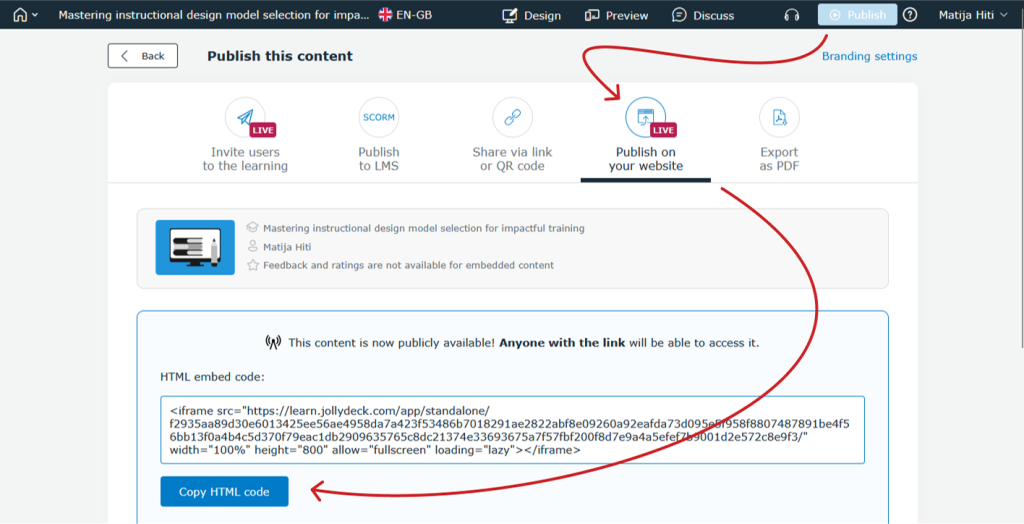
Start in JollyDeck. Open your course or resource, click Publish, and choose the Publish on your website option. JollyDeck will generate a ready-to-use embed code.
2. Add it to WordPress
Copy the embed code.
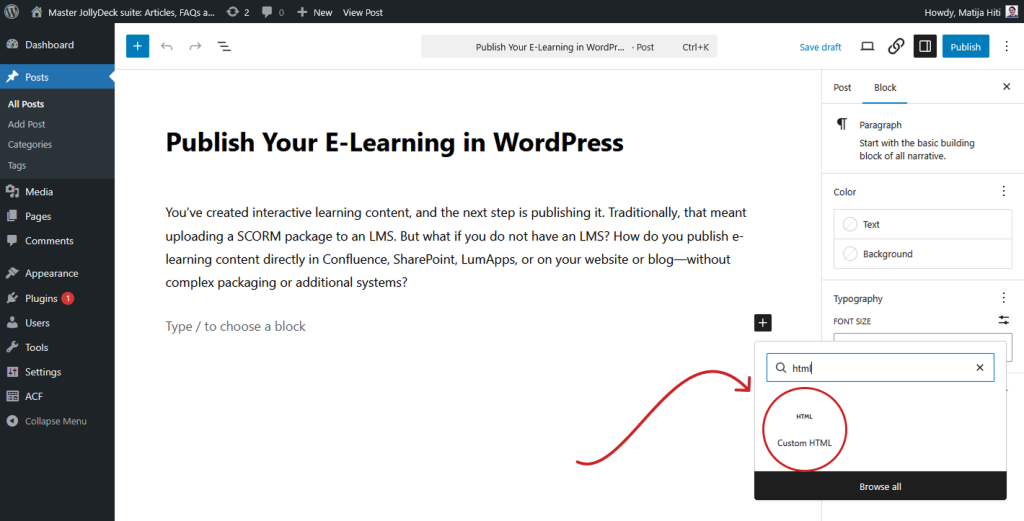
Go to your WordPress post or page. In the Block Editor, click the “+” icon and select Custom HTML.
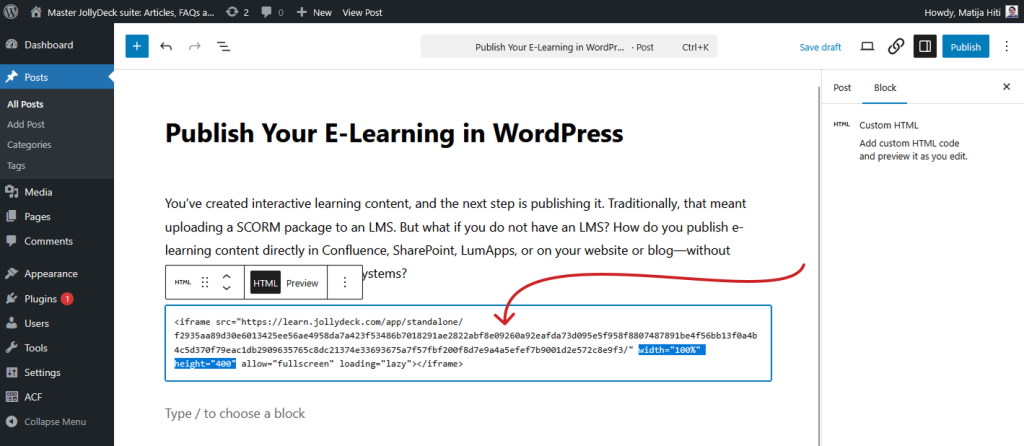
Paste the embed code into the HTML block. If needed, adjust the width and height values inside the code to control how the learning content appears on the page.
3. Publish
Click Publish (or Update if the page already exists). Your interactive e-learning content is now live inside your WordPress article.
What happens after publishing
The e-learning remains hosted in JollyDeck. WordPress simply displays it. If you update the content in JollyDeck, the embedded version updates automatically. There is no need to re-export or re-upload anything.
This makes embedding especially useful for:
- Trainers running courses from WordPress
- Solopreneurs selling access via WooCommerce
- Consultants delivering gated expertise
- Product teams embedding onboarding on marketing pages
SCORM still makes sense inside enterprise LMS environments. But if your destination is the open web, embedding is the more natural approach.
Example: Embedded one-pager
Below is an example of a one-pager generated with JollyDeck and embedded directly into WordPress.
Note that the blog posts in JollyDeck are fairly narrow. If the layout of your blog allows it, the width of the embedded course can be adjusted accordingly.
Learners stay on your site, interact with the content, and complete activities without being redirected elsewhere.
Why this approach is more future-proof
Embedding removes file management. Your content stays in JollyDeck, and WordPress simply displays it. Update the course once, and every embedded version reflects the change instantly — no re-exporting, no version confusion.
You can publish product training on a public page, add onboarding to an internal portal, embed customer education in a help centre, or place interactive learning directly inside your blog.
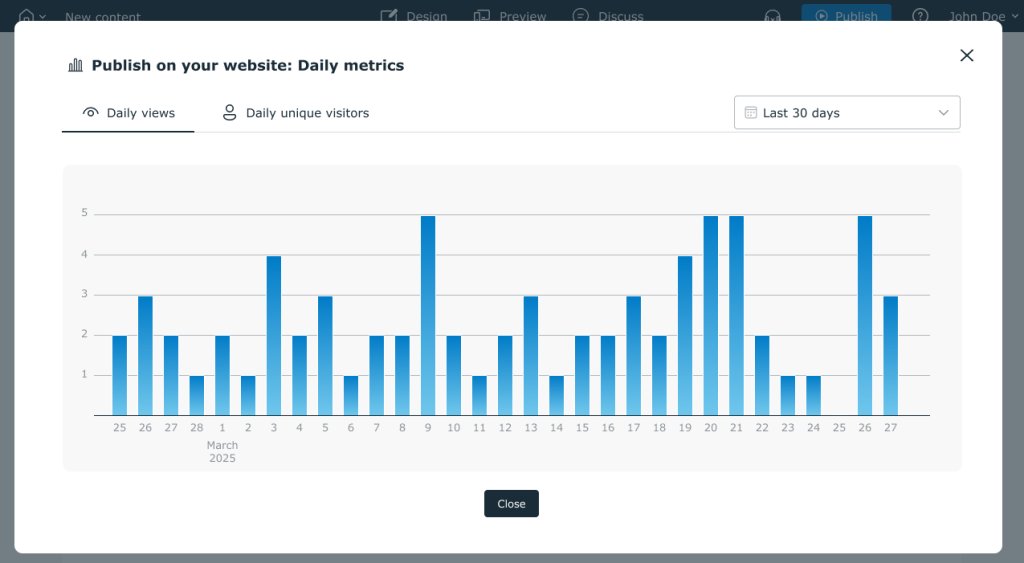
And you’re not publishing blind. JollyDeck tracks Daily views and Daily unique visitors for your embedded content, so you can see exactly how often it’s being accessed.
Try it yourself
Create your first course or resource in JollyDeck, generate the embed code, paste it into WordPress, and publish.
From zero to embedded content in under 10 minutes.